
Bookings and sessions
Sell sessions and consultations buyers book from your available times: settings, availability, how booking works, and managing bookings.
A booked session is a product where you sell your time: a consultation, one-to-one coaching or a group session. The buyer picks one of your available times in their own time zone and pays, the booking is confirmed, and they get the meeting link.
Who can use it?
Available on: Free, Pro and Business. Anyone with permission to manage products creates the session, and each team member has their own availability.
How do I sell a booked session?
- From Products, choose New product, pick Booked session, and enter the name and price (or make it free).
- On the product page, under Booking settings, set the length, place, breaks and notice, then select Save settings.
- From Bookings, then Availability, set your days, hours and time zone.
- Publish the product.
Settings
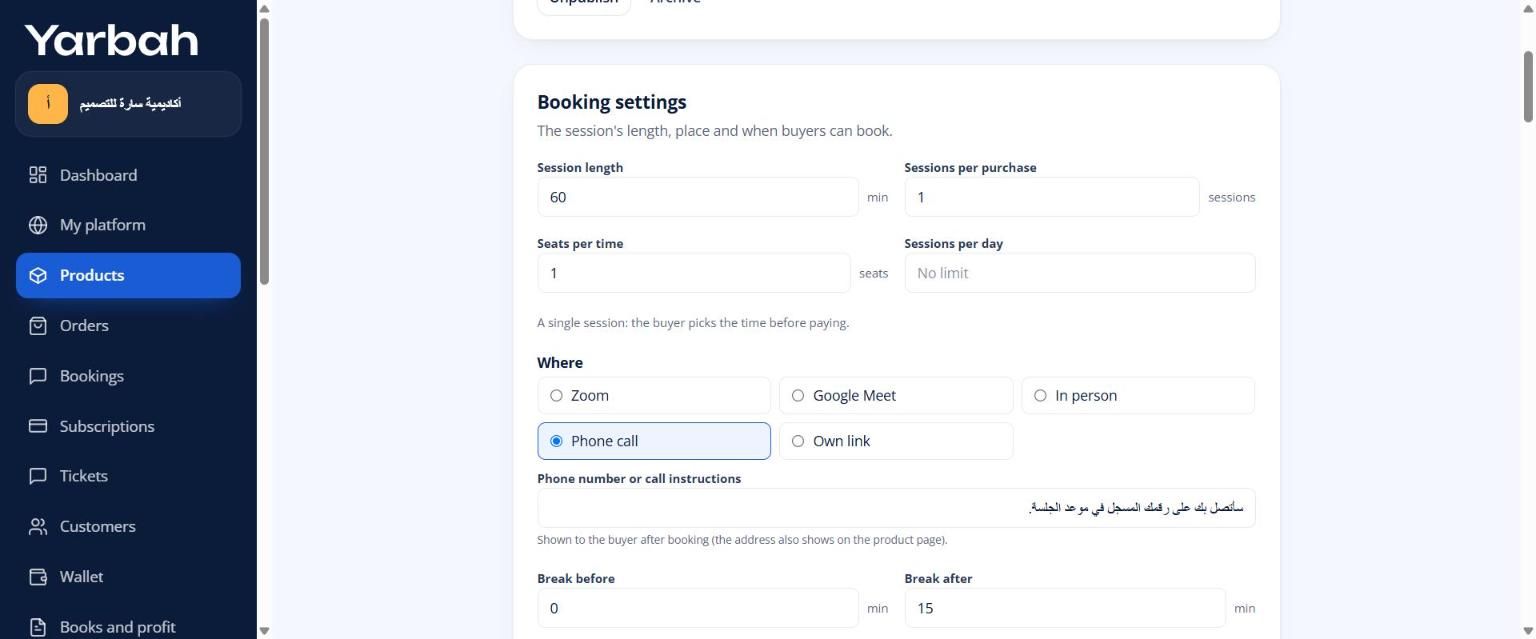
- Session length, plus a break before and after each session.
- Where: Zoom or Google Meet (the meeting link is made automatically once you connect your account under Live meetings), in person with an address, a phone call, or your own link.
- Minimum notice, how far ahead people can book, and sessions per day.
- Seats per time: more than one makes it a group session.
- Sessions per purchase: more than one makes it a package the buyer books one by one.
- Changes allowed until a number of hours before, and whether buyers can cancel.
- Who hosts: with a team, pick members; each booking goes to the least busy one at that time.
Availability
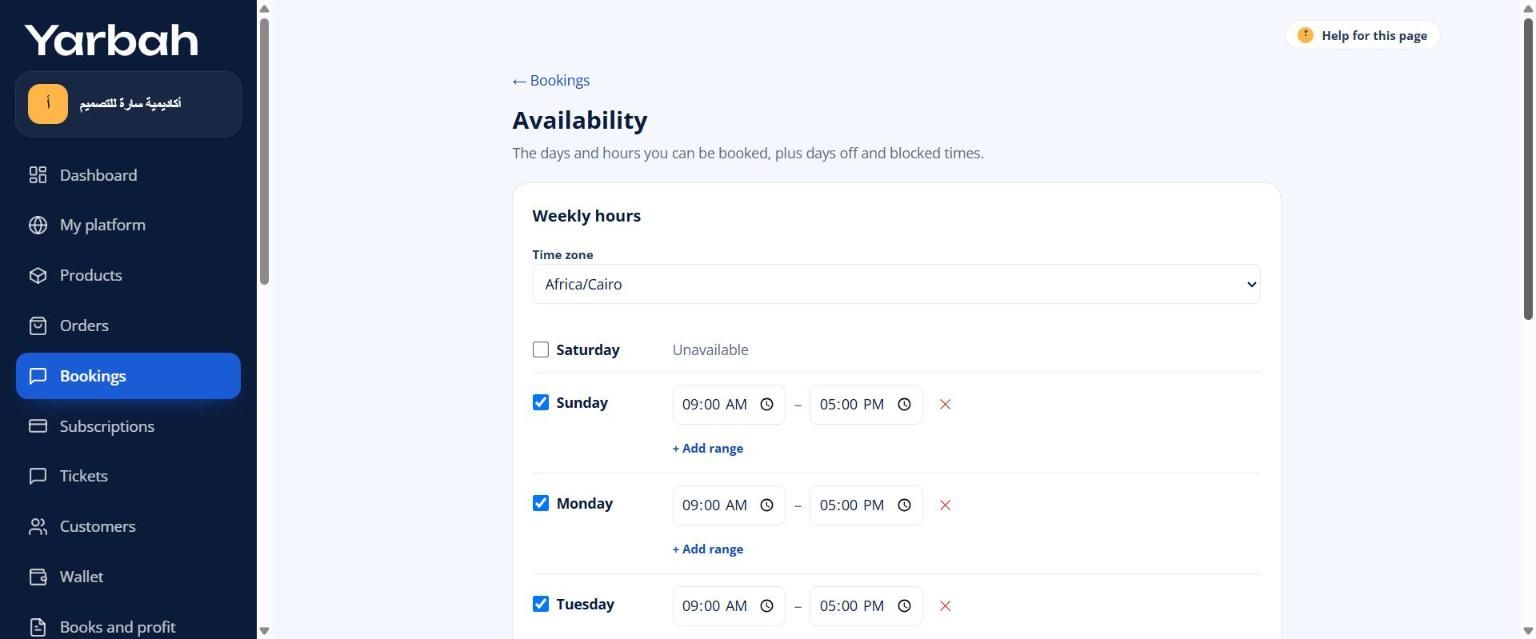
Each member has their own schedule: weekly hours (several ranges a day) and a time zone. Add exceptions: a day off, other hours for one day, or a blocked time. Buyers only see times that are really free after bookings and breaks.
How do buyers book?
- A single session: they pick the day and time in their own time zone on the product page; the time is held while they pay and confirmed once the payment is.
- A package or a gift: they buy first, then book their sessions from My bookings in their library.
They get a confirmation, a reminder a day and an hour before, and in My bookings they join the meeting and add it to their calendar.
Managing bookings
Under Bookings you see upcoming, the week and past bookings, and you can:
- Join the meeting and change the time.
- Cancel: the client is emailed, and for a paid single session you can refund in full in the same step.
- Mark a session Done or No-show after it starts.
- Add a manual booking for a client you agreed with outside the platform.
FAQs about this page
Updated 19 November 2026